🚚 Free Worldwide Shipping on All Orders!Shop Now
HomeStore
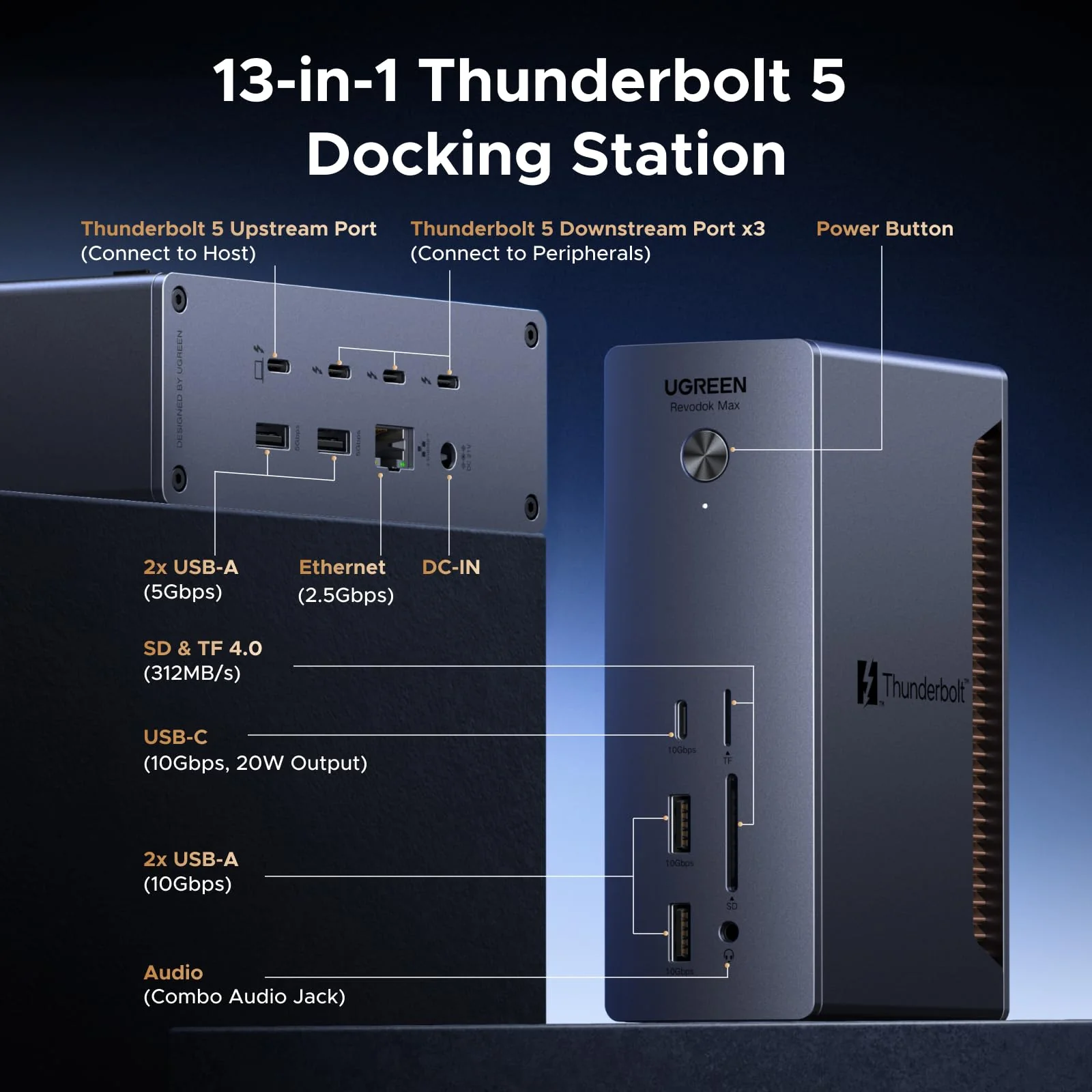
UGREEN Thunderbolt 5 Docking Station, Revodok Max 13-in-1 TB5 Dock, 120Gbps Max Transfer, Single 8K@60Hz, Dual 6K@60Hz, 140W Charging, 2.5GbE, 312MB/s SD/TF, for TBT5/4 MacBooks and Windows Laptops
Previous page
Next page
Previous page
Next page
Previous page
Next page
Previous page
Next page
Previous page
Next page
Key Tips for Setup and Use
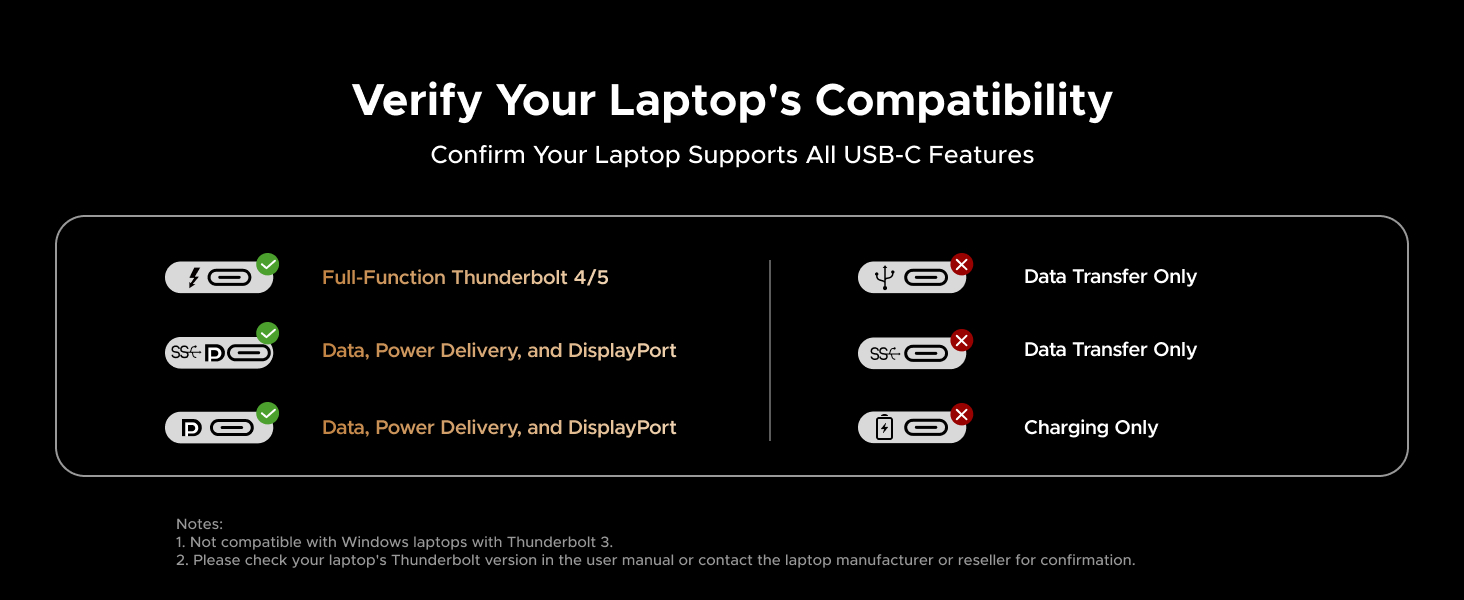
| Laptops Compatibility | Works with Windows laptops and MacBooks equipped with Thunderbolt 4 or Thunderbolt 5 ports. Not compatible with Thunderbolt 3 Windows laptops, AMD-based laptops and USB-C iPad models. |
| System Support | Works with Windows 11/10 (23H2) and macOS 15 or later. Linux not supported. |
| Thunderbolt Controller FW | Thunderbolt 4 Windows 11 laptops with 11th Gen Intel processors require Thunderbolt controller NVM firmware version 48.1 or later. Windows 10 laptops with 12th/13th Gen Intel processors require Thunderbolt controller NVM firmware version 20.1 or later. |
| Use Certified Cable | Use the included Thunderbolt 5 cable or other certified Thunderbolt 5 cables. Uncertified cables may cause connection issues. |
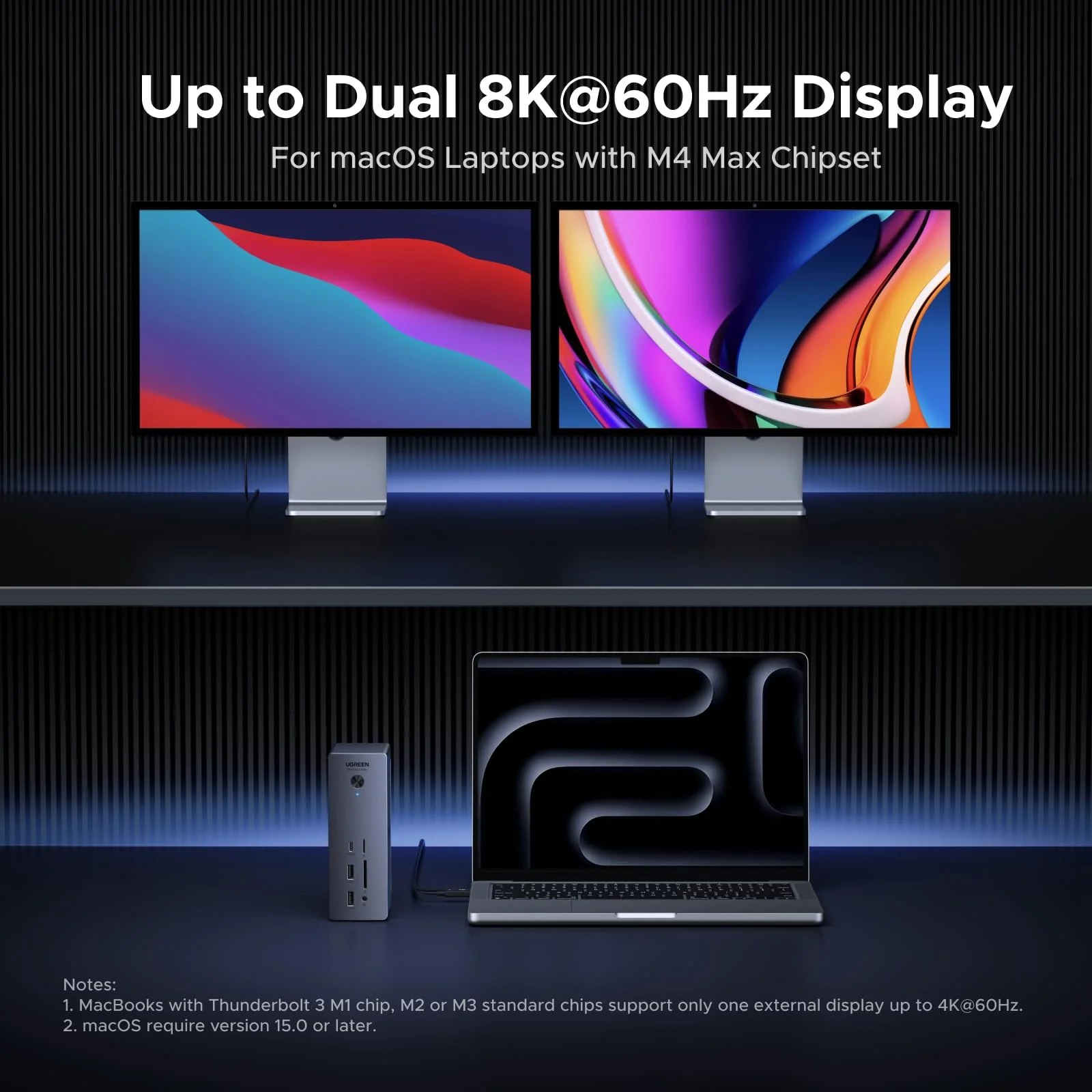
| Single-Display | Standard M1/M2/M3 MacBooks, and Windows laptops only supporting USB-C DP Alt mode support one external display. |
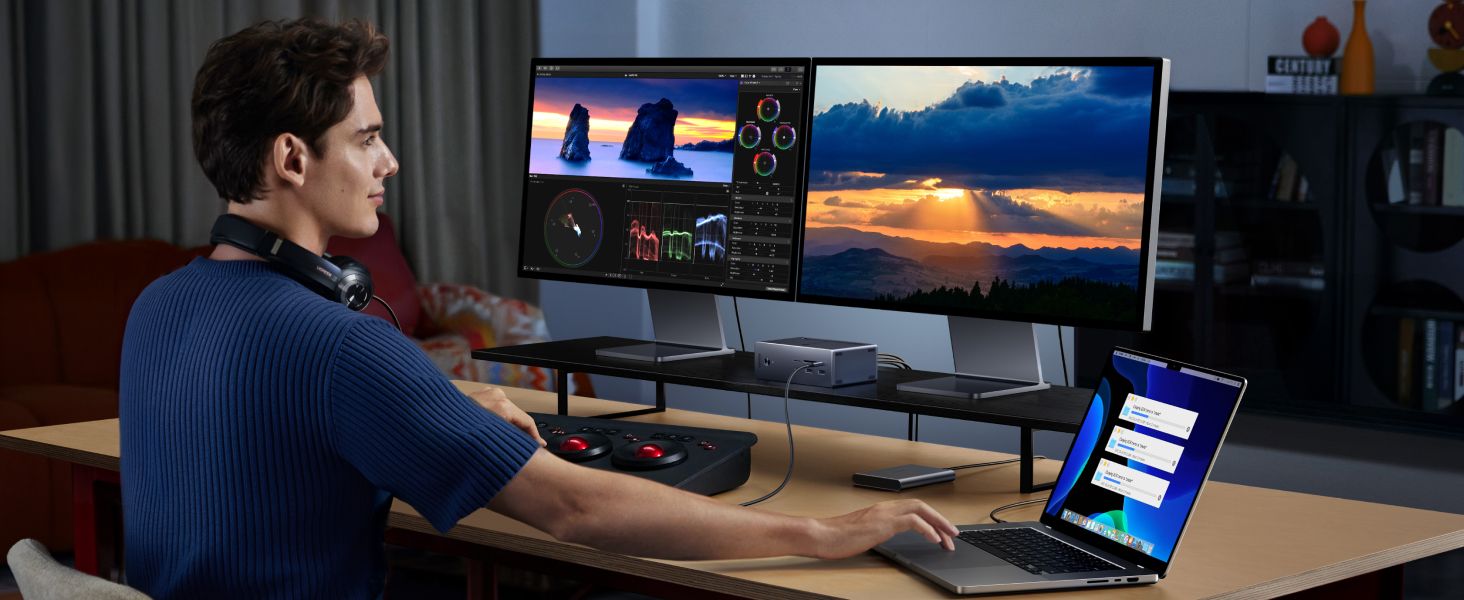
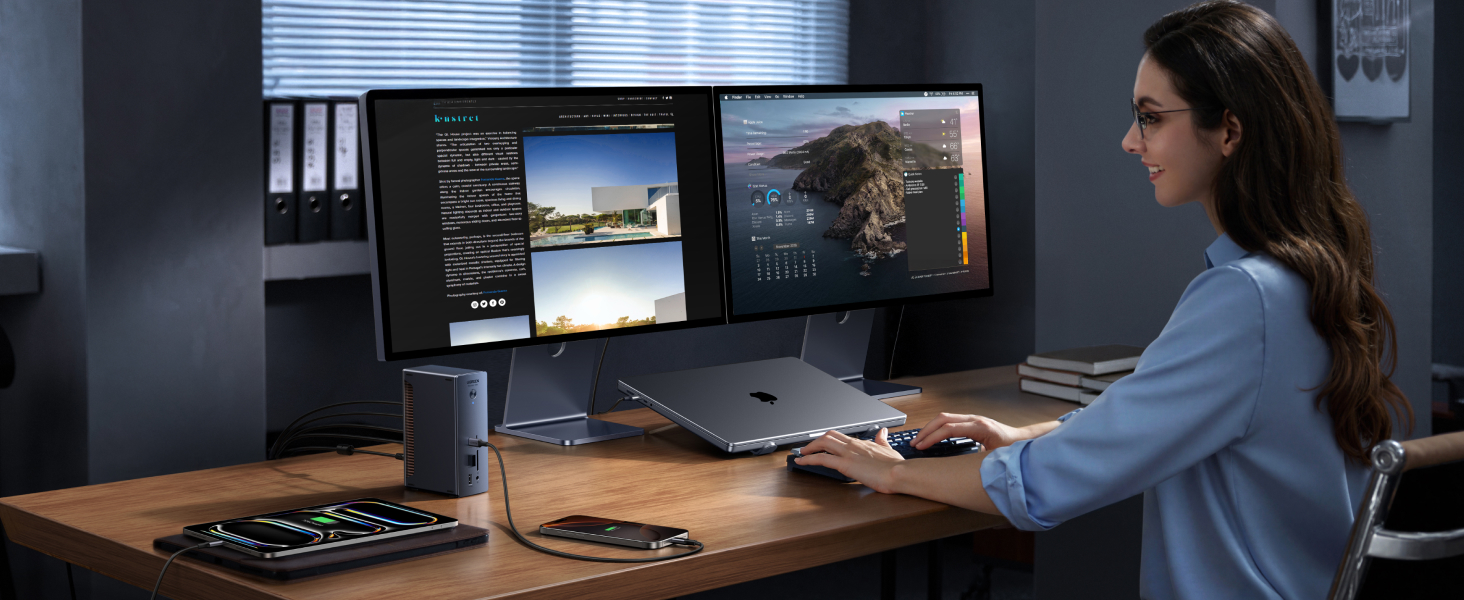
| Dual-Display | MacBooks with M1/M2/M3 Pro/Max chips, all M4 models, M5 standard chips and Thunderbolt 5/4 Windows laptops support dual external display. |
| Triple-Display | Triple-Display depends on your laptop specs. Based on our testing, the MacBook Pro with M5 Pro/Max chips and Razer Blade 18 Gaming Laptop with NVIDIA GeForce RTX 4090 successfully supports triple display. |
| High-Refresh-Rate Limitation | For Thunderbolt 4 MacBooks and Windows laptops, dual-display output may be limited if one monitor's max spec exceeds 4K@144Hz, allowing only one display to output. Using a high-refresh-rate monitor (>4K@144Hz) together with a standard 4K@60Hz monitor may result in single-display output after sleep/wake. Connecting the standard monitor first may help. |
| High-Refresh-Rate Requirement | Higher display refresh rates (>60Hz) may require display and host GPU support for Display Stream Compression (DSC). Color depth may vary to enable higher refresh rates. |
| Dual 5K/6K Display Requirement | Dual 5K or dual 6K display support requires Thunderbolt 4 displays, or Apple Studio Display (5K) / Apple Pro Display XDR (6K). 6K and 8K resolutions require host computer support for DSC. |
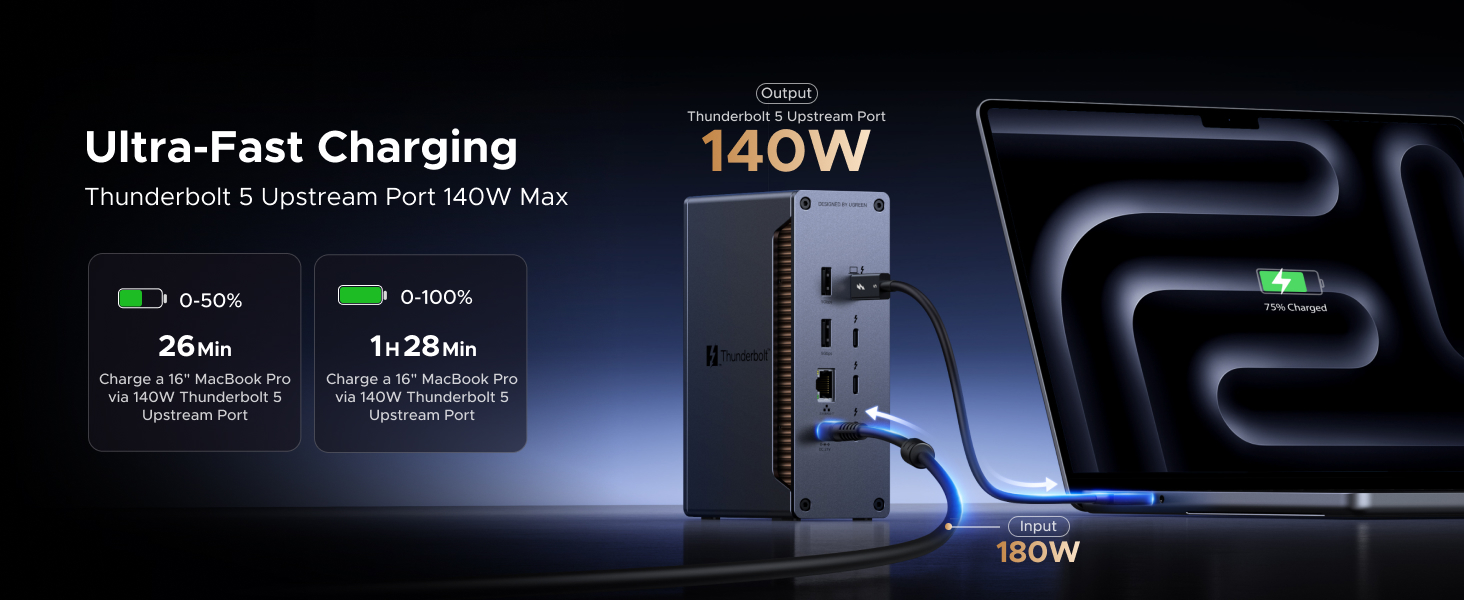
| Host Laptop Charging | 140W charging requires PD 3.1. For higher power, use the original adapter. |
| Early MacBooks Charging Notice | Some early MacBook models feature Thunderbolt ports that support only PD 3.0, including 16‑inch MacBook Pro with M1 Pro/Max & M2 Pro/Max chips. |
| Dell Charging Notice | Some Dell laptops use a proprietary protocol and may display a “slow charging” warning with non-Dell chargers. If your Dell laptop requires 140W or less, the dock will charge it at the same speed as the original adapter. |
| Power Adapter Connection | Insert the power adapter firmly and fully into the dock’s DC port to ensure stable operation. |
$164.22
Original: $469.19
-65%UGREEN Thunderbolt 5 Docking Station, Revodok Max 13-in-1 TB5 Dock, 120Gbps Max Transfer, Single 8K@60Hz, Dual 6K@60Hz, 140W Charging, 2.5GbE, 312MB/s SD/TF, for TBT5/4 MacBooks and Windows Laptops—
$469.19
$164.22



Description
Previous page
Next page
Previous page
Next page
Previous page
Next page
Previous page
Next page
Previous page
Next page
Key Tips for Setup and Use
| Laptops Compatibility | Works with Windows laptops and MacBooks equipped with Thunderbolt 4 or Thunderbolt 5 ports. Not compatible with Thunderbolt 3 Windows laptops, AMD-based laptops and USB-C iPad models. |
| System Support | Works with Windows 11/10 (23H2) and macOS 15 or later. Linux not supported. |
| Thunderbolt Controller FW | Thunderbolt 4 Windows 11 laptops with 11th Gen Intel processors require Thunderbolt controller NVM firmware version 48.1 or later. Windows 10 laptops with 12th/13th Gen Intel processors require Thunderbolt controller NVM firmware version 20.1 or later. |
| Use Certified Cable | Use the included Thunderbolt 5 cable or other certified Thunderbolt 5 cables. Uncertified cables may cause connection issues. |
| Single-Display | Standard M1/M2/M3 MacBooks, and Windows laptops only supporting USB-C DP Alt mode support one external display. |
| Dual-Display | MacBooks with M1/M2/M3 Pro/Max chips, all M4 models, M5 standard chips and Thunderbolt 5/4 Windows laptops support dual external display. |
| Triple-Display | Triple-Display depends on your laptop specs. Based on our testing, the MacBook Pro with M5 Pro/Max chips and Razer Blade 18 Gaming Laptop with NVIDIA GeForce RTX 4090 successfully supports triple display. |
| High-Refresh-Rate Limitation | For Thunderbolt 4 MacBooks and Windows laptops, dual-display output may be limited if one monitor's max spec exceeds 4K@144Hz, allowing only one display to output. Using a high-refresh-rate monitor (>4K@144Hz) together with a standard 4K@60Hz monitor may result in single-display output after sleep/wake. Connecting the standard monitor first may help. |
| High-Refresh-Rate Requirement | Higher display refresh rates (>60Hz) may require display and host GPU support for Display Stream Compression (DSC). Color depth may vary to enable higher refresh rates. |
| Dual 5K/6K Display Requirement | Dual 5K or dual 6K display support requires Thunderbolt 4 displays, or Apple Studio Display (5K) / Apple Pro Display XDR (6K). 6K and 8K resolutions require host computer support for DSC. |
| Host Laptop Charging | 140W charging requires PD 3.1. For higher power, use the original adapter. |
| Early MacBooks Charging Notice | Some early MacBook models feature Thunderbolt ports that support only PD 3.0, including 16‑inch MacBook Pro with M1 Pro/Max & M2 Pro/Max chips. |
| Dell Charging Notice | Some Dell laptops use a proprietary protocol and may display a “slow charging” warning with non-Dell chargers. If your Dell laptop requires 140W or less, the dock will charge it at the same speed as the original adapter. |
| Power Adapter Connection | Insert the power adapter firmly and fully into the dock’s DC port to ensure stable operation. |